The back office, on the same
system as the field.
Time, leave, vehicles, equipment and the money — invoices, bills and pay — running on the same records the work happens on.
The job holds the whole record
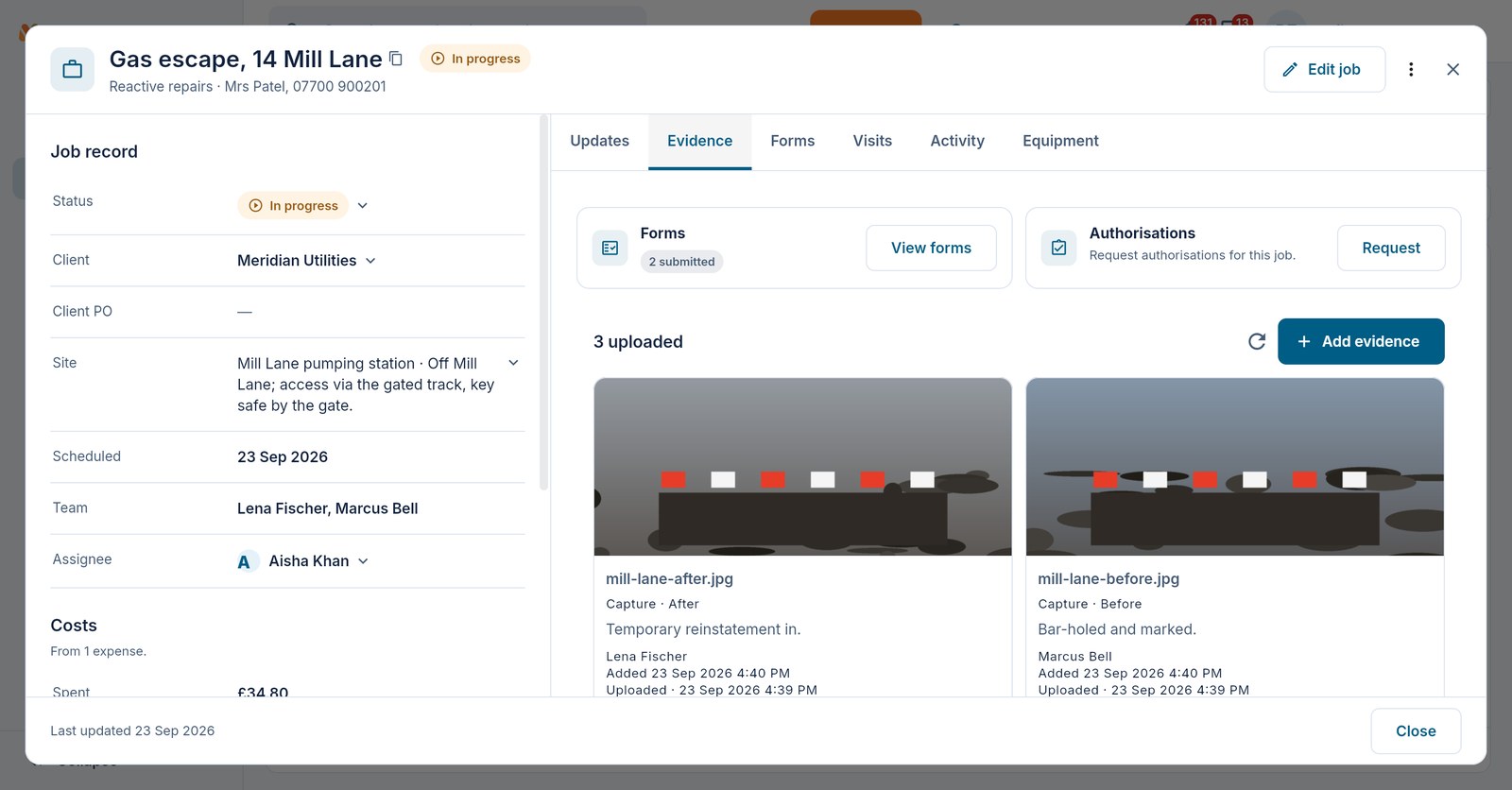
Read and edit job fields beside updates, visits and activity. Evidence and Forms tabs bring photos, files and submitted checks back to the job, so the office can review the work in context.
- Your workstream's fields, statuses, columns and saved import mappings
- Job-linked forms, evidence and a record of what changed
- Optional evidence requirements before work can be marked complete
- Client, site and contract context carried with the work
A dashboard for the work you manage
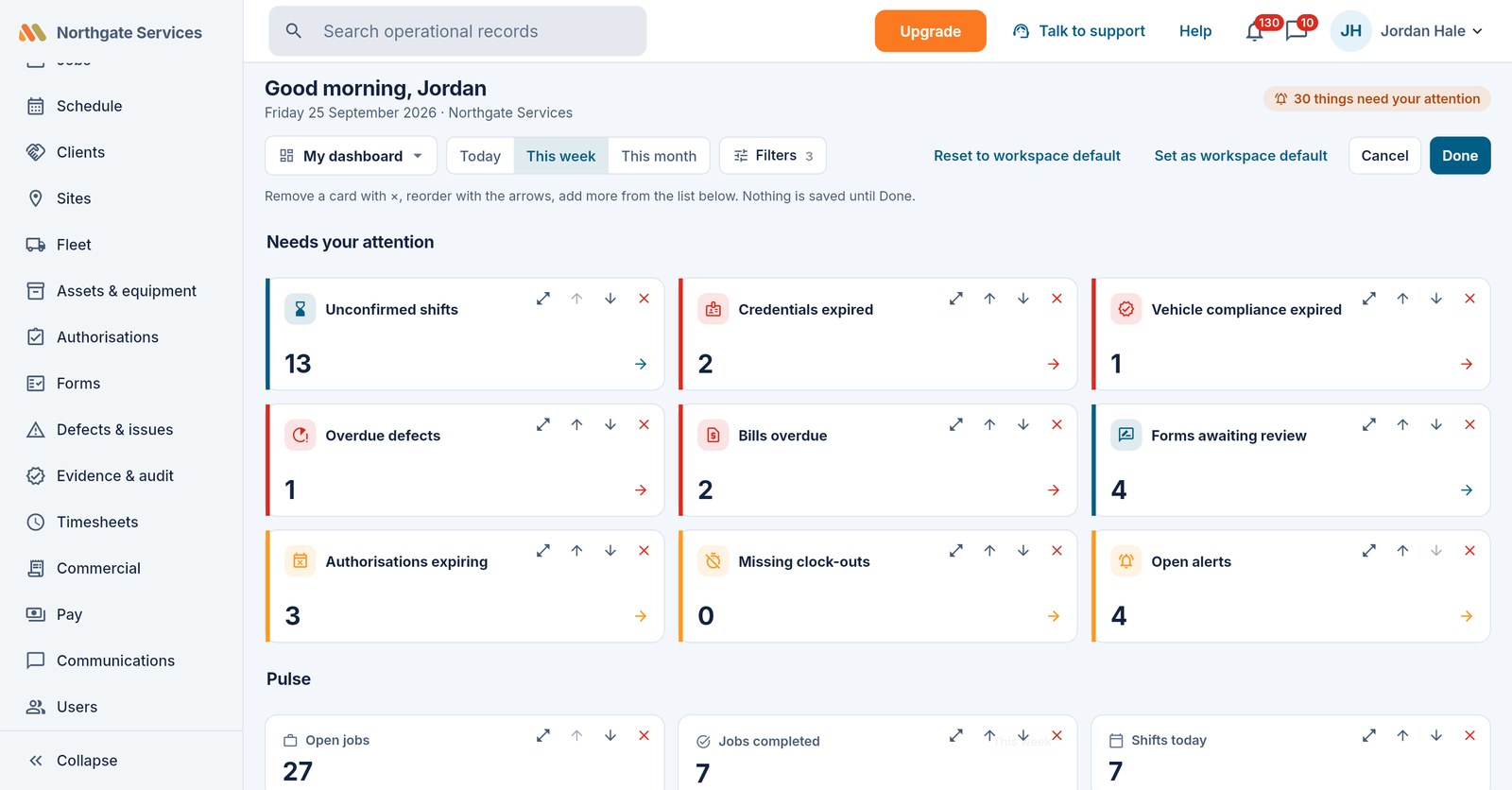
Choose cards, arrange their widths and switch between lists and charts. Filter by period, workstream, client or site. An attention card opens the records behind its count, already filtered.
- Your own layout on every plan, with cards allowed by your permissions
- Named personal views and shared team dashboards on Crew and above
- Alert rules on more than 200 events, sent to named people, a permission, a group or an outside email address, with an optional PDF
- Push, web and email switches per notification type, and a daily email of what you missed on the weekdays you choose
- Open alerts and acknowledgements, plus an optional weekly email digest
Review the exceptions in your timesheets
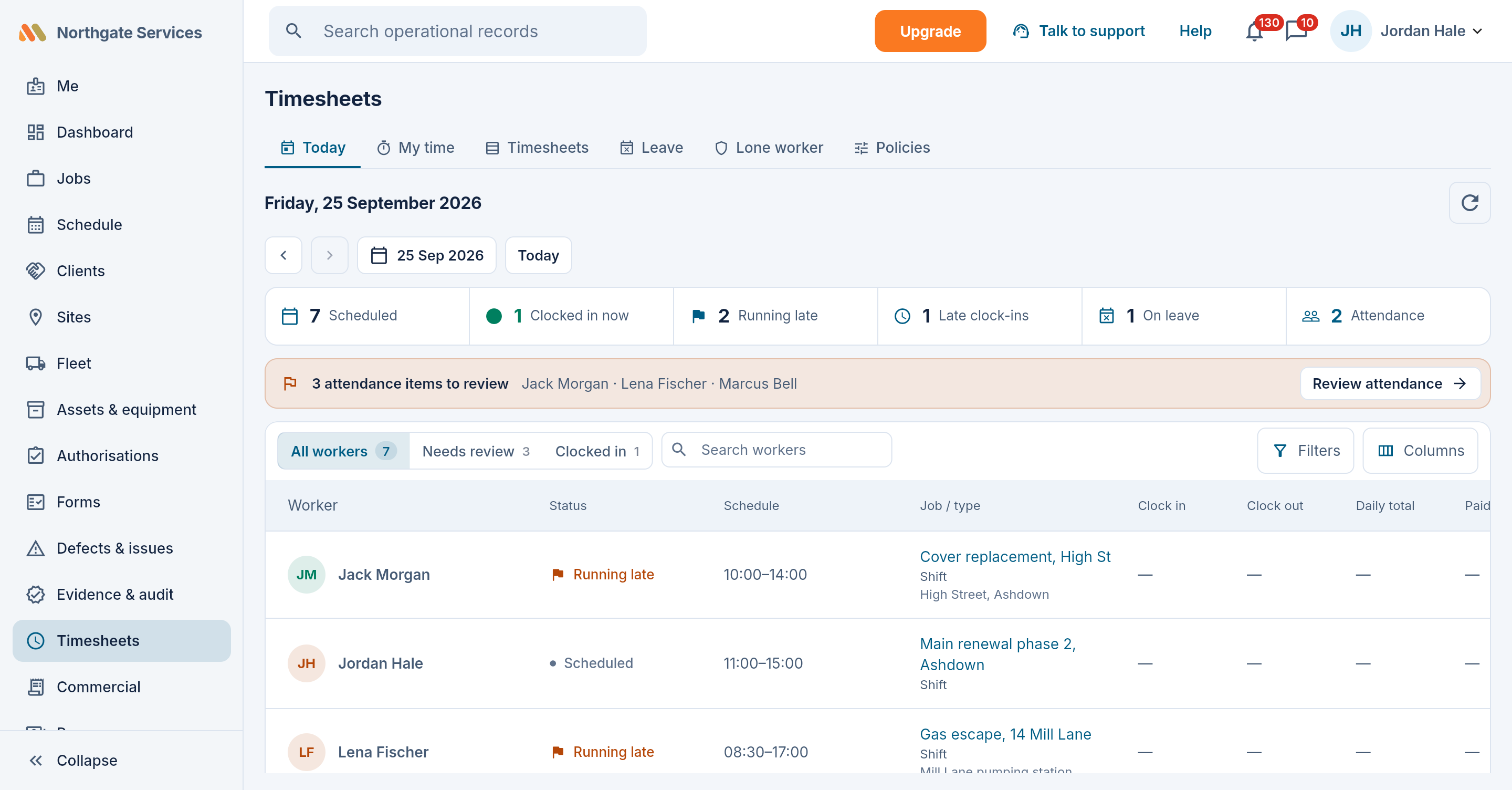
Workers clock in against today's shift or route. Days within tolerance auto-approve; the exceptions — overlaps, missing clock-outs, off-geofence — get flagged for a human. Workers correct their own week in one batch with one reason, including removing an entry that should not be there; you approve it as one thing. Then lock the period and export it for your payroll system, or run pay in Maliru on any plan.
- Auto-approval inside tolerance; exceptions flagged, never hidden
- Geofence stamps that flag — and never block — a clock-in
- CSV/PDF export and period locks with an audited unlock
- Work patterns per person: working days, overtime thresholds and pay basis
- An optional one-job-at-a-time rule: finish one shift before clocking into the next
- Location recorded at clock events, never tracked in the background
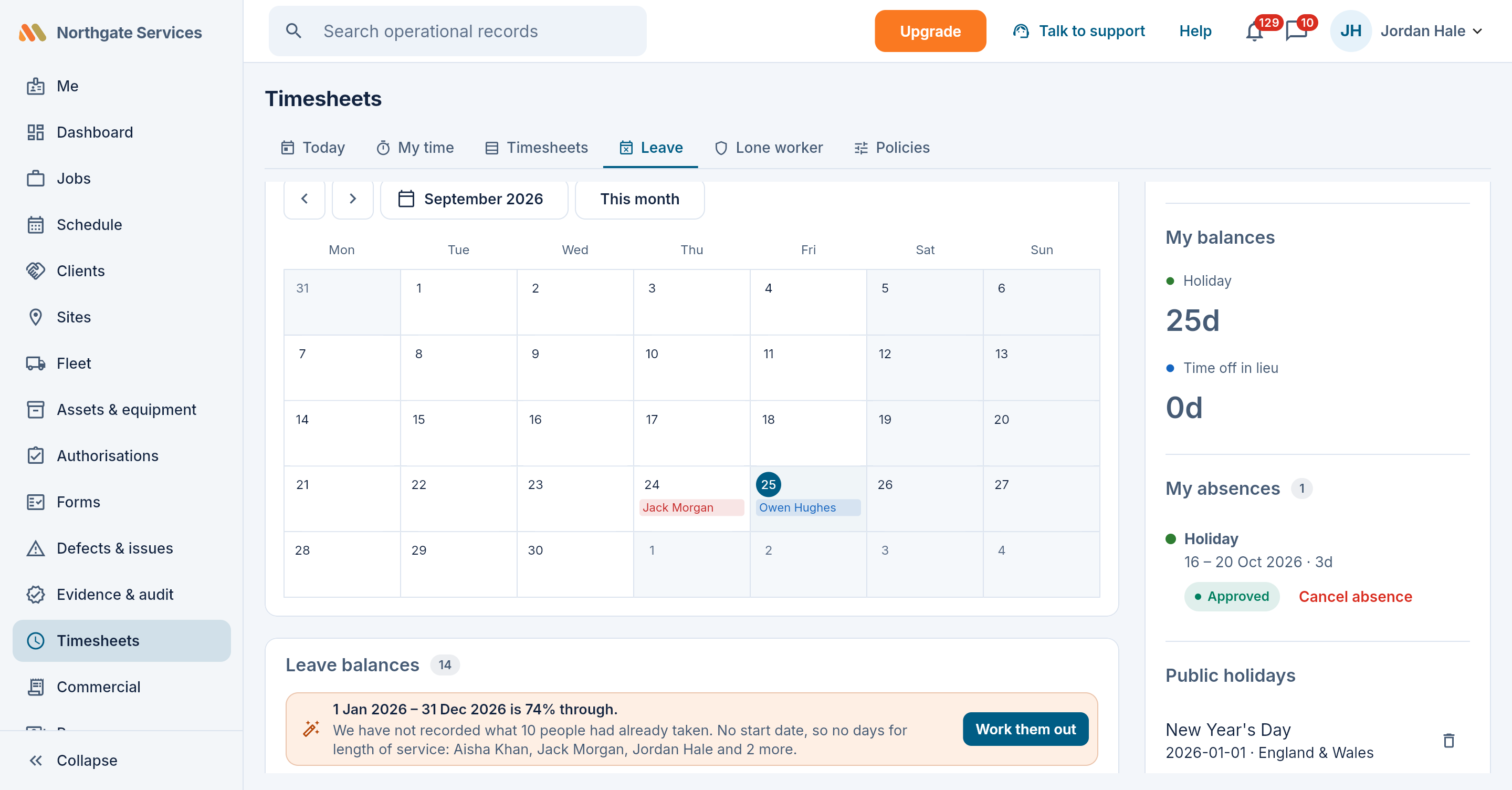
Leave without the spreadsheet
Balances that account for pending requests, morning/afternoon precision, a team calendar with public holidays, and a pro-rata calculator for part-timers. Approvals notify; everything reconciles into the timesheet.
- Your own leave types: paid/unpaid, approval, balance rules
- Day-part precision — first day afternoon, last day morning
- A leave year that starts when yours does, with entitlements worked out per person
- Carry-over and adjustments entered by the office, on the record
- Your country's public holidays suggested for you to tick, or added by hand
Fleet checks with a controlled return to service
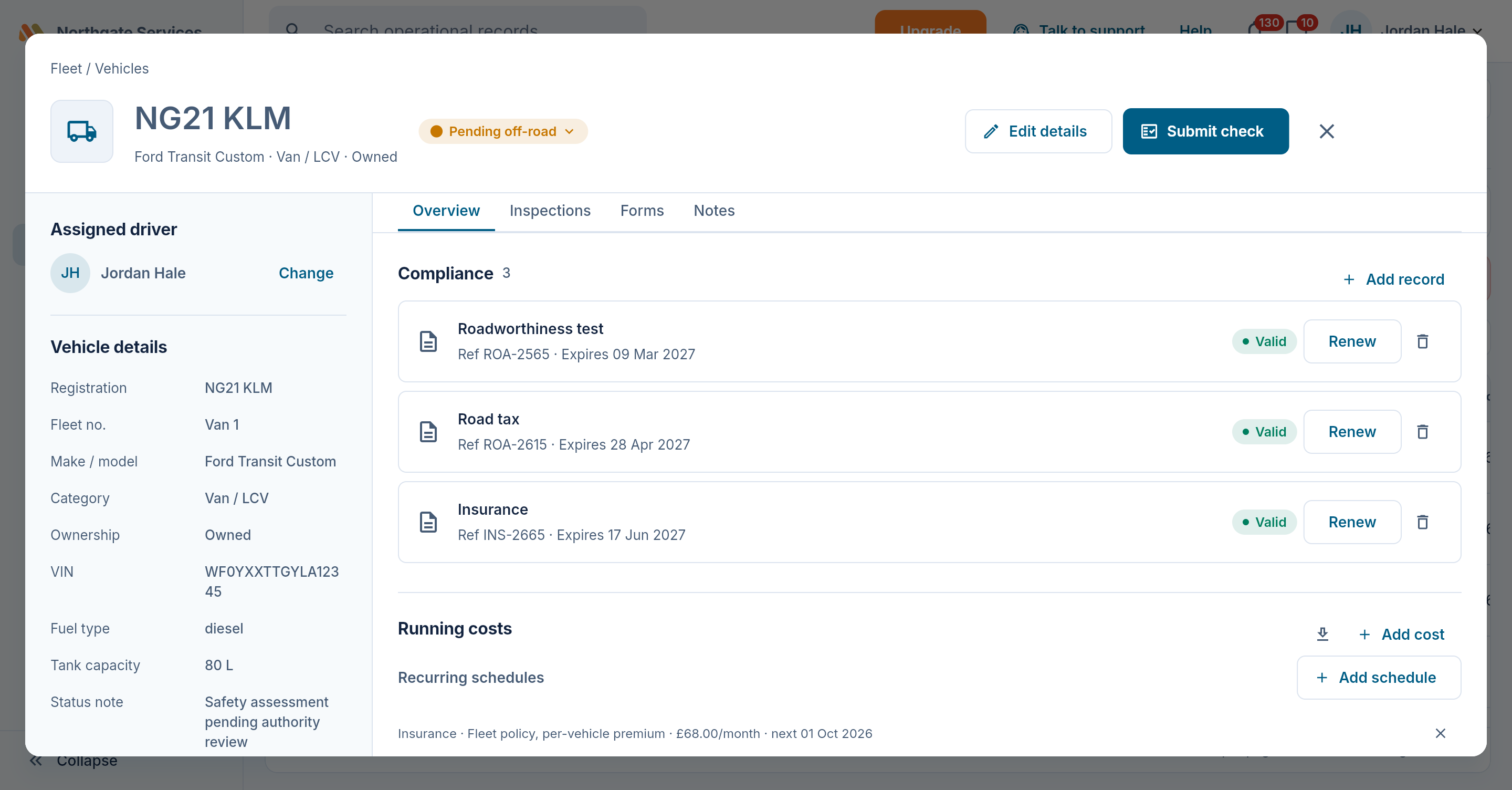
Walkaround checks where the finder describes and the authority grades. An unsafe assessment puts a vehicle into pending-off-road review. Repairs, evidence and an authorised return-to-service decision stay on its record. Compliance items and recurring inspection cycles warn ahead of their due dates.
- A vehicle register with driver history, your fields and statuses
- Compliance types you rename to your regime — with renewal reminders
- Fuel and running costs, with review flags and receipt evidence
- Fuel-card imports and recurring cost schedules on Team and above
Equipment, stores and custody on record
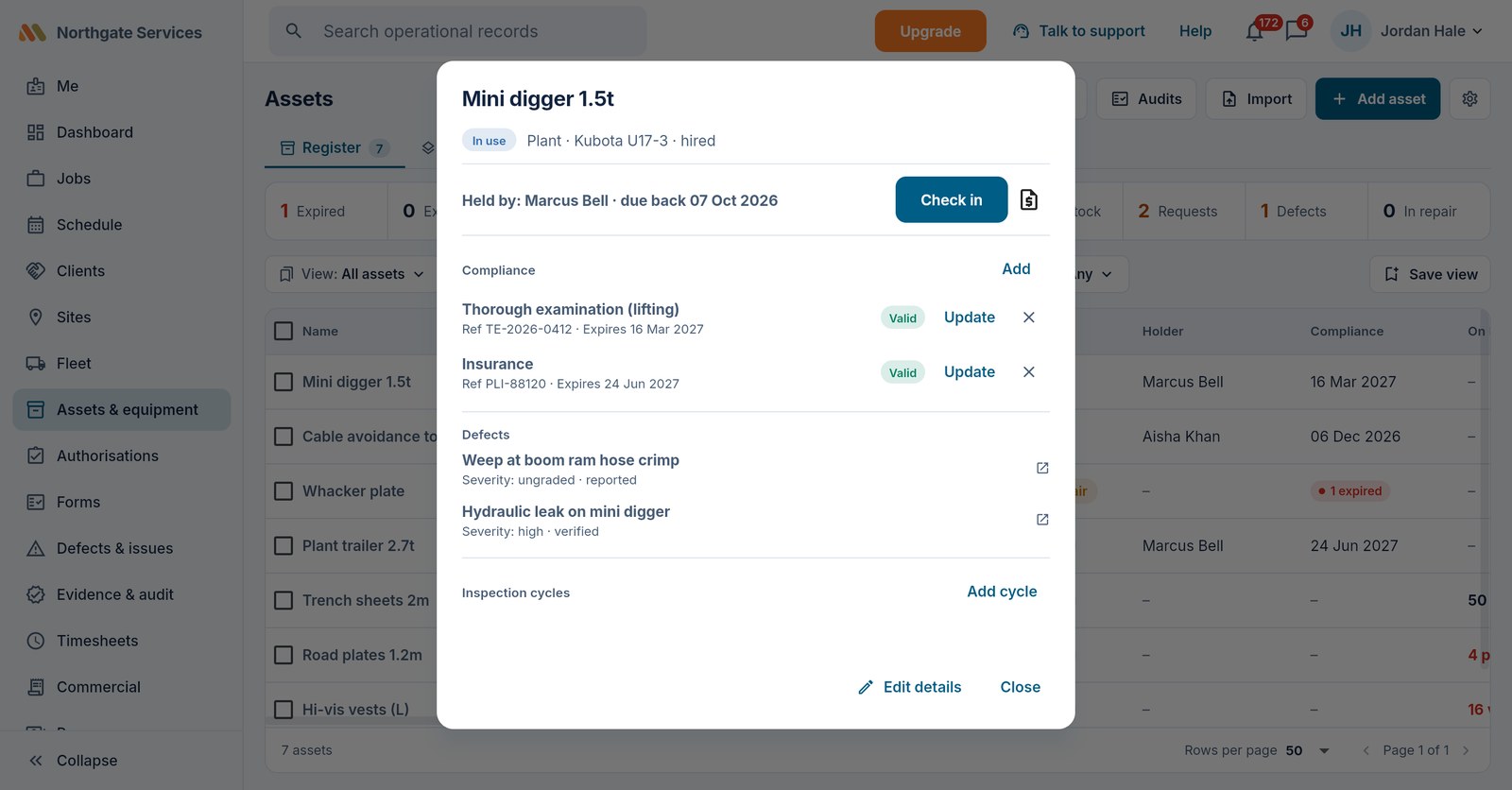
Keep plant, tools, kits and PPE in their own register. Record who holds each item, its checks and due dates, and what needs repair or return.
- Requests, partial issues and returns tied to the worker and equipment (Crew)
- Stock with on-hand counts and reorder levels, and an alert when a line runs low (Crew)
- Kits, signed stores records and equipment audits
- Scored or unscored checks; an unready asset follows its safety workflow
Service contracts that keep their own score
A maintenance contract is a promise: these sites and this equipment serviced this often, and a fault answered and fixed within the hours the contract says. Put the promise on the contract and Maliru holds every call-out and every planned visit to it.
- Priorities with response and fix targets, counted 24/7, in your working hours or in the contract's own hours, with on-hold pauses and public holidays
- A clock on every call-out: at risk and missed flagged once each, the office told, and a missed call-out chased again if nobody acts
- Planned maintenance that raises its own job and draft visit ahead of each due date, on time or late against its window
- Your clients' equipment on record beside your own, with its inspections, checks and service history
- A monthly or quarterly report for the client, worked out from the jobs: visits on time, call-outs answered and fixed in target, and every miss with its reason, emailed as a PDF
- The contract's fixed fee raised as a draft invoice each period, with the planned visits done listed on it
Service contracts are included on the Crew plan.
People with the access and records their work needs
Keep workforce profiles, teams, credentials and documents together. Owners and field workers are available on Free; Team adds office admins and supervisors, and Crew custom access and managers scoped to their workstreams. Sensitive information stays behind permission checks on every plan.
Set requirements once on a position, workstream, site or client, and eligibility checks warn or block at assignment, dispatch or clock-in. Licence checks at allocation are on every plan; client- and contract-specific requirements on Crew. Bank details held for pay are encrypted, and shown only as their last four digits.
From measure to money
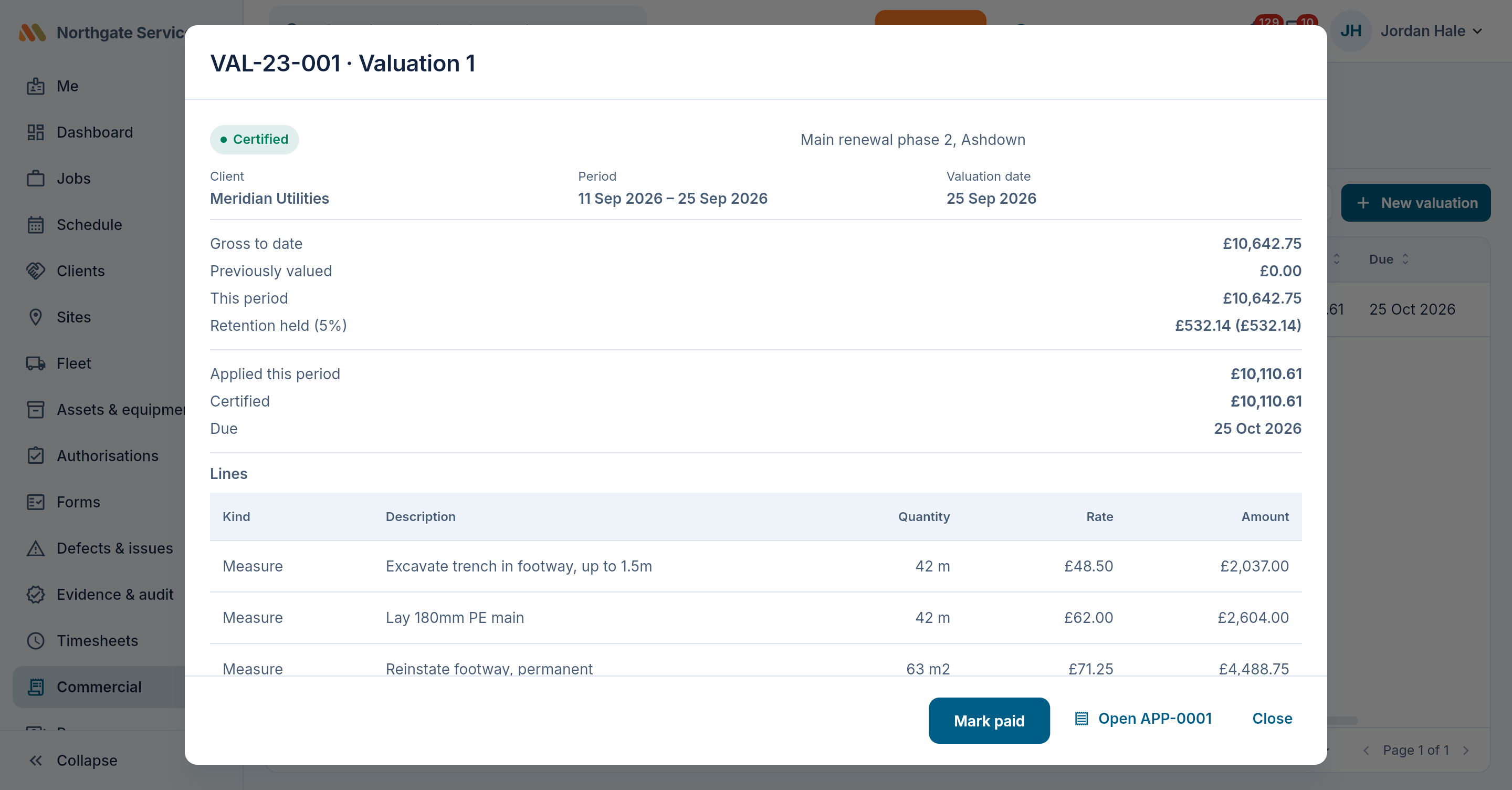
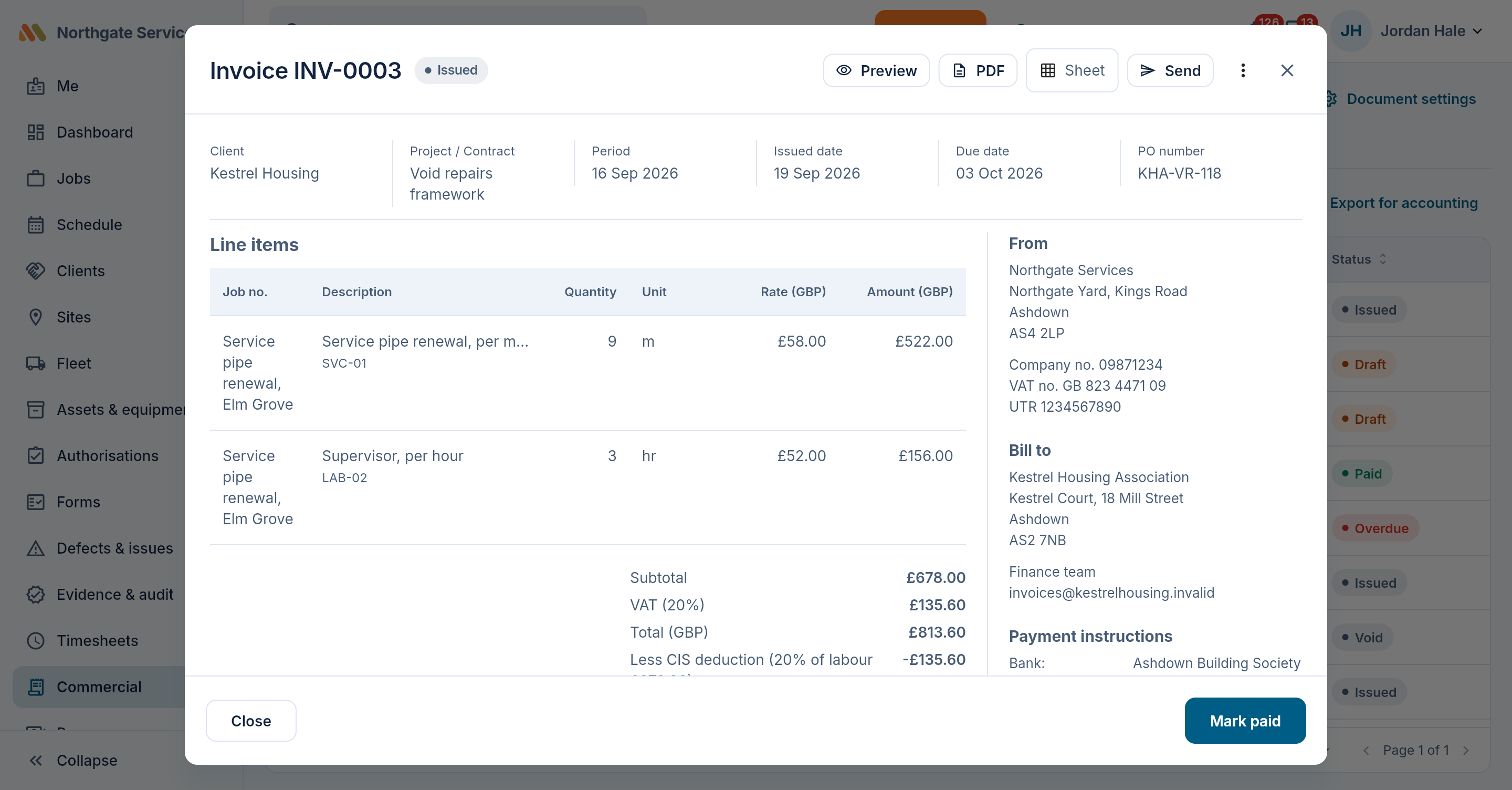
Import your rate cards from the sheets you already have. The field records measures with evidence; you approve them and invoice them. On Crew, valuations roll them up with retention, variations and dayworks into a certificate your client pays against. Billed once — never twice.
- Rate cards with named uplifts — a percentage or fixed adjustment
- Measures with several priced lines, quantities and uplift-adjusted rates
- Measures for one day or a period, and one entry across several jobs
- Valuations with retention, payment terms and CSV/PDF export
Expense claims need a receipt, and the person who made a claim cannot approve it. Record the repayment once it has been made.
Invoices built from approved work
Raise invoices, pro-formas, quotes and credit notes from approved measures, numbered when you issue them, and applications for payment on Crew. Email them from Maliru in your business's name, with replies coming back to you. Record payments as they arrive, in full or in part, and give a client their statement.
- Every line at its uplift-adjusted rate — the same figure the measure and valuation show
- A quote converts into an invoice once the work is agreed
- Country presets that pre-fill your tax wording, all editable; four layouts and five styles
- A payments ledger with part-paid and mark-paid, and client statements
- CSV export for Xero, QuickBooks or Sage — a file you import, not a live connection
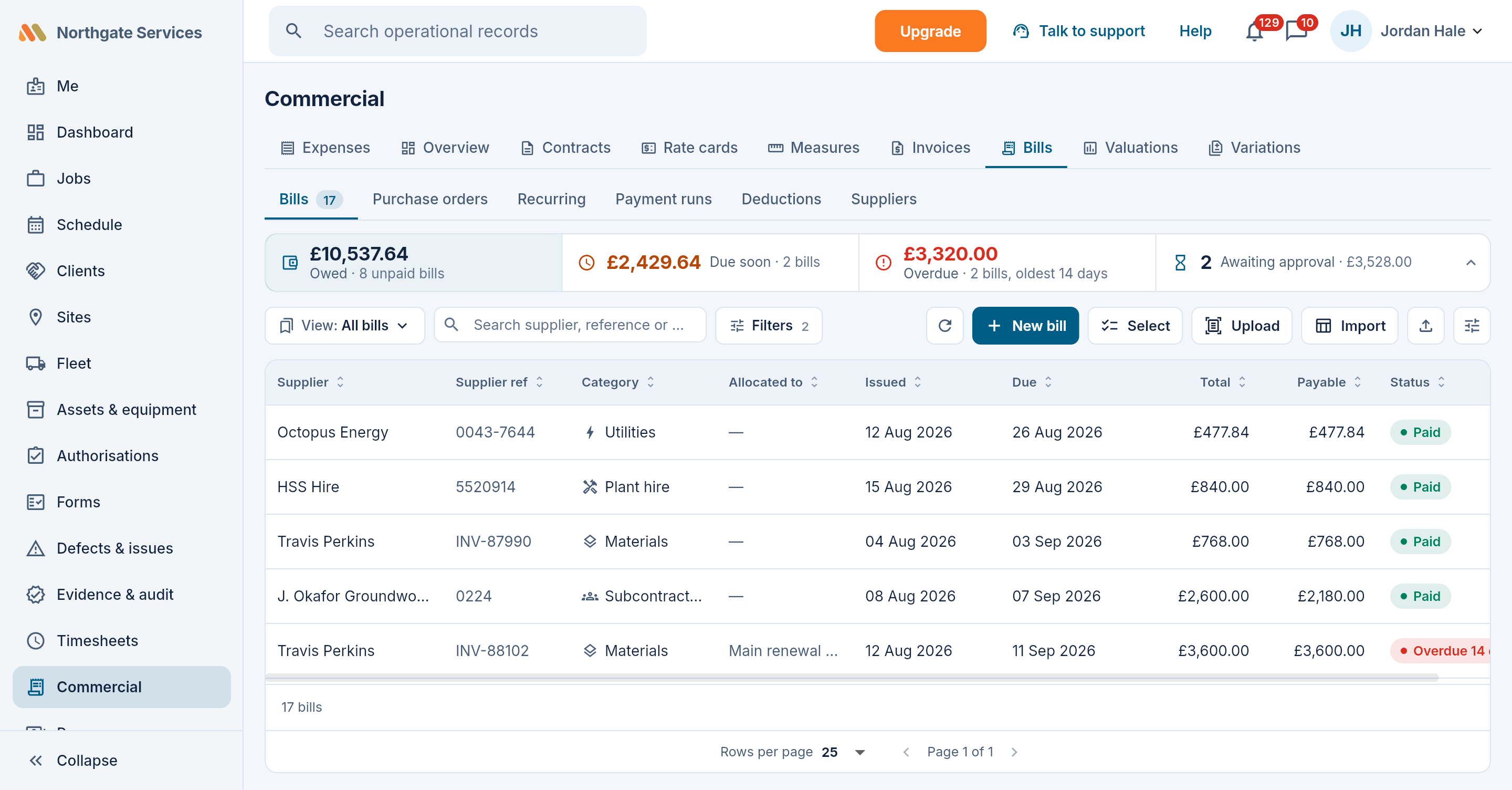
Bills, from the supplier's PDF to the payment run
Upload a supplier's invoice and, on Team and above, the AI bill reader drafts the bill for someone to check and save. Turn on approvals and the person who approves a bill is never the person who entered it. Park a wrong bill as disputed, then pay what is due in a payment run on Crew: a schedule to key into your bank, and a remittance email to each supplier. Maliru never moves the money.
- Suppliers, supplier credits and recurring bills (recurring on Team and above)
- Deductions on subcontractor bills — CIS in the UK or RCT in Ireland, for example — at the rates your scheme sets (Crew)
- Optional purchase orders on Crew, off until you turn them on
- CSV export for Xero, QuickBooks or Sage on every plan
Accurate gross pay, from the hours you already approved
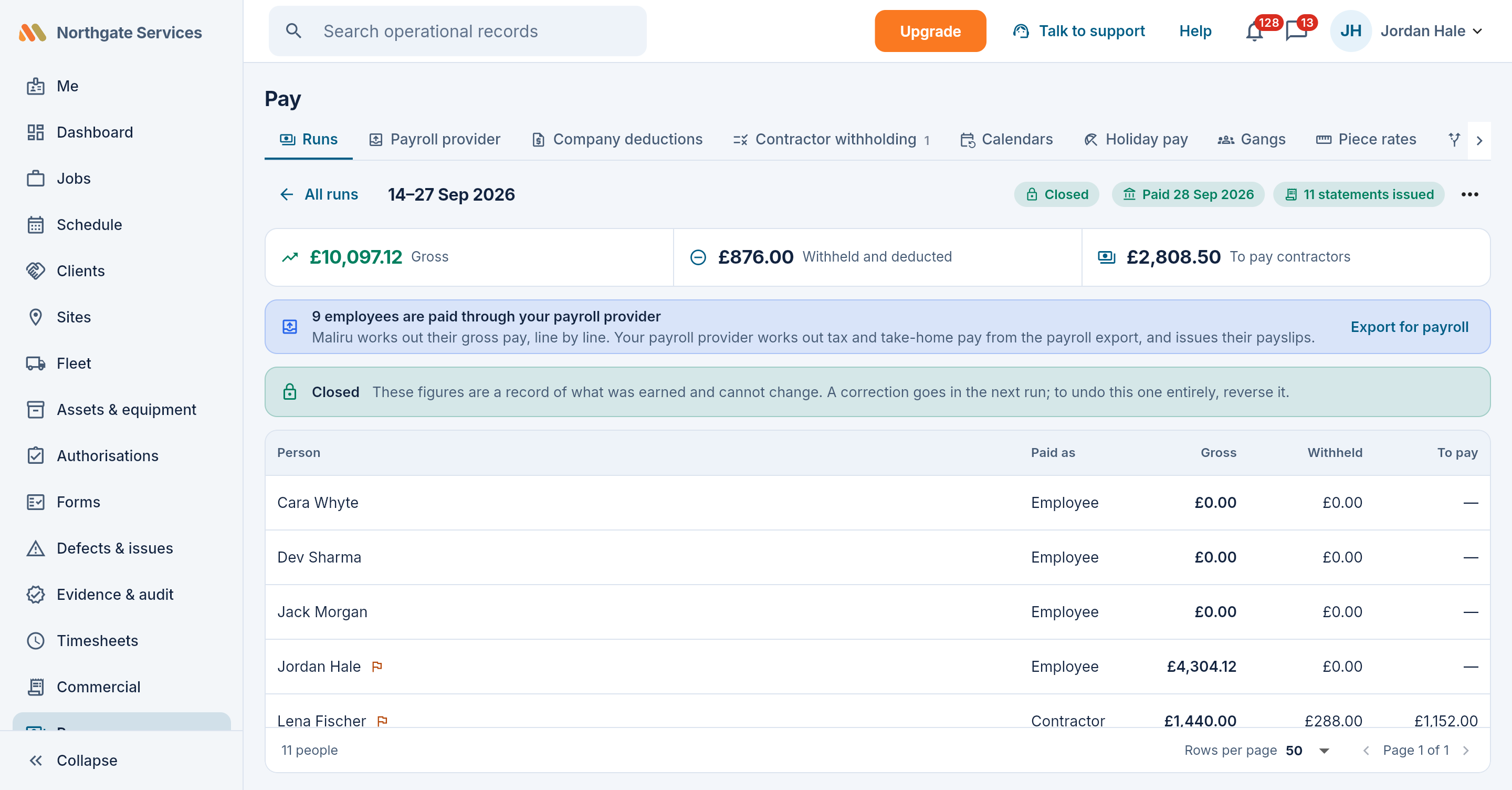
Pay reads what the record already knows — approved time, overtime at each rate, premium days, leave, attendance against a salary, and the work each contractor was credited with — and works out each person's gross, line by line. Your payroll provider takes it from there: Maliru hands it over as a file, and the provider works out tax and take-home pay, issues the payslips, files and pays. Each person gets an earnings statement in the app; contractors get a self-bill statement. Maliru never moves money and never files returns.
- Pay calendars with your own cut-off and pay date, salaries that follow attendance, and holiday pay by the rules you confirm
- A file for your payroll provider — BrightPay, Sage 50 Payroll or a CSV you lay out — matched on payroll IDs, with control totals and a sample to prove it before your first payday
- Company deductions for damage, fines or an advance, taken after tax, and only with the worker's agreement, signed in the app or on paper
- A contractor ledger of measured work, route stages and completed jobs: self-bill from it, or check their invoice against it
- Contractor withholding such as CIS or RCT, a bank file for paying contractors, and the figures for a withholding return, ready for you to file
- A query window, so people can check their figures and query a day before the run closes
- A closed run never changes: a correction rides into the next run
- Employee pay on every plan (one pay calendar on Free); contractor pay, deductions and the query window on Crew. Past runs and statements stay readable on every plan