From plan to confirmed —
without the phone calls.
Draft shifts privately, publish when ready, and know exactly who has confirmed. Give a route of jobs to one worker or a crew as a shared scheduled assignment.
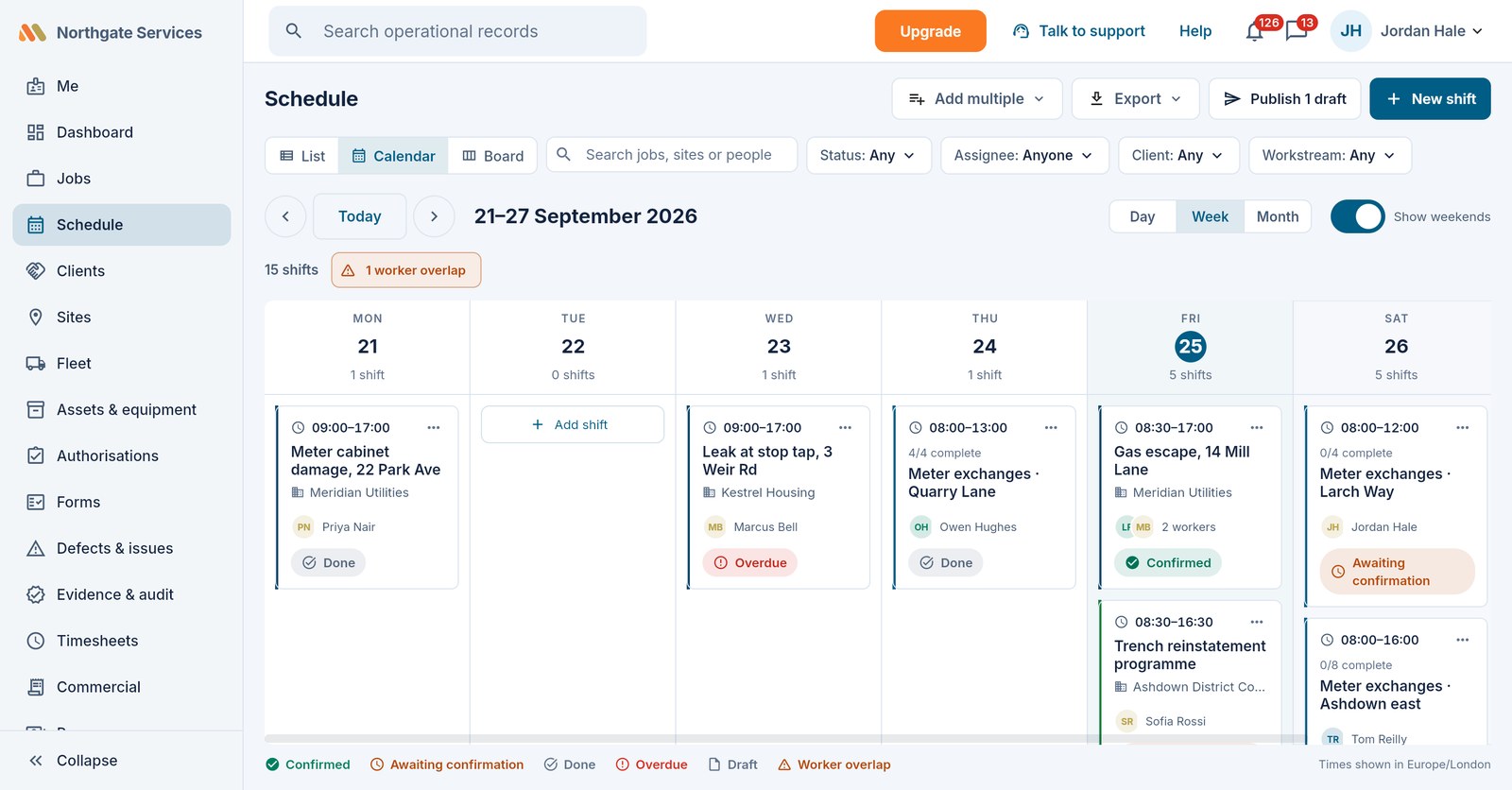
Plan in drafts, publish when sure
Drafts are invisible to the field. When you publish, everyone assigned is notified and asked to confirm in their app. Work in list, calendar or board view — drag to move or reassign, with a confirm-and-notify guard on anything already published.
- List, calendar and board views over one schedule
- Bulk-create shifts from a grid; publish all drafts in one click
- Drag to move, resize or reassign — the team is told
- Conflict checks for double-booking, leave and missing competencies as you assign
Routes: many jobs, one card
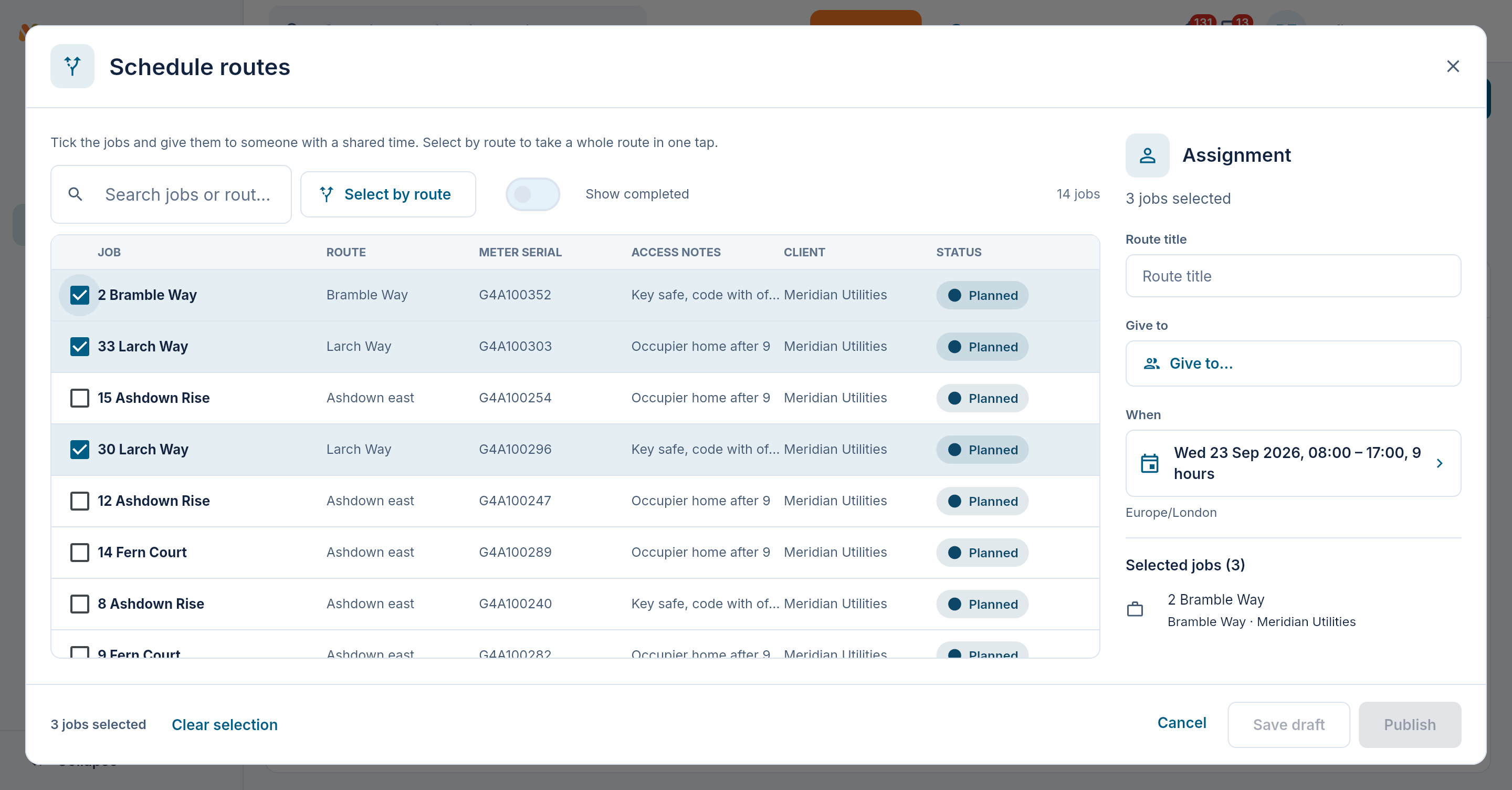
When one person works through many jobs in a day, don't schedule thirty shifts. Select the route's jobs and assign one worker or a crew with a shared time window. Each assignee confirms their own attendance and works from the same route; the office sees progress against its jobs.
- Select by route to pick entire runs of work at once
- Each worker confirms the whole route once, without confirming for colleagues
- Route assignments appear in personal Work and schedule calendars
- Progress follows the workstream's statuses and chosen columns
Confirmations that chase themselves
Anything still unconfirmed close to its start gets an automatic reminder to the worker and an alert to the office — once, not a spam storm. Declines route straight to the scheduler with the worker's reason, so a refusal never sits unnoticed.
- Automatic reminders ahead of the start time
- Dashboard tiles for unconfirmed and overdue shifts
- Eligibility checks at assignment that warn or block, and say why
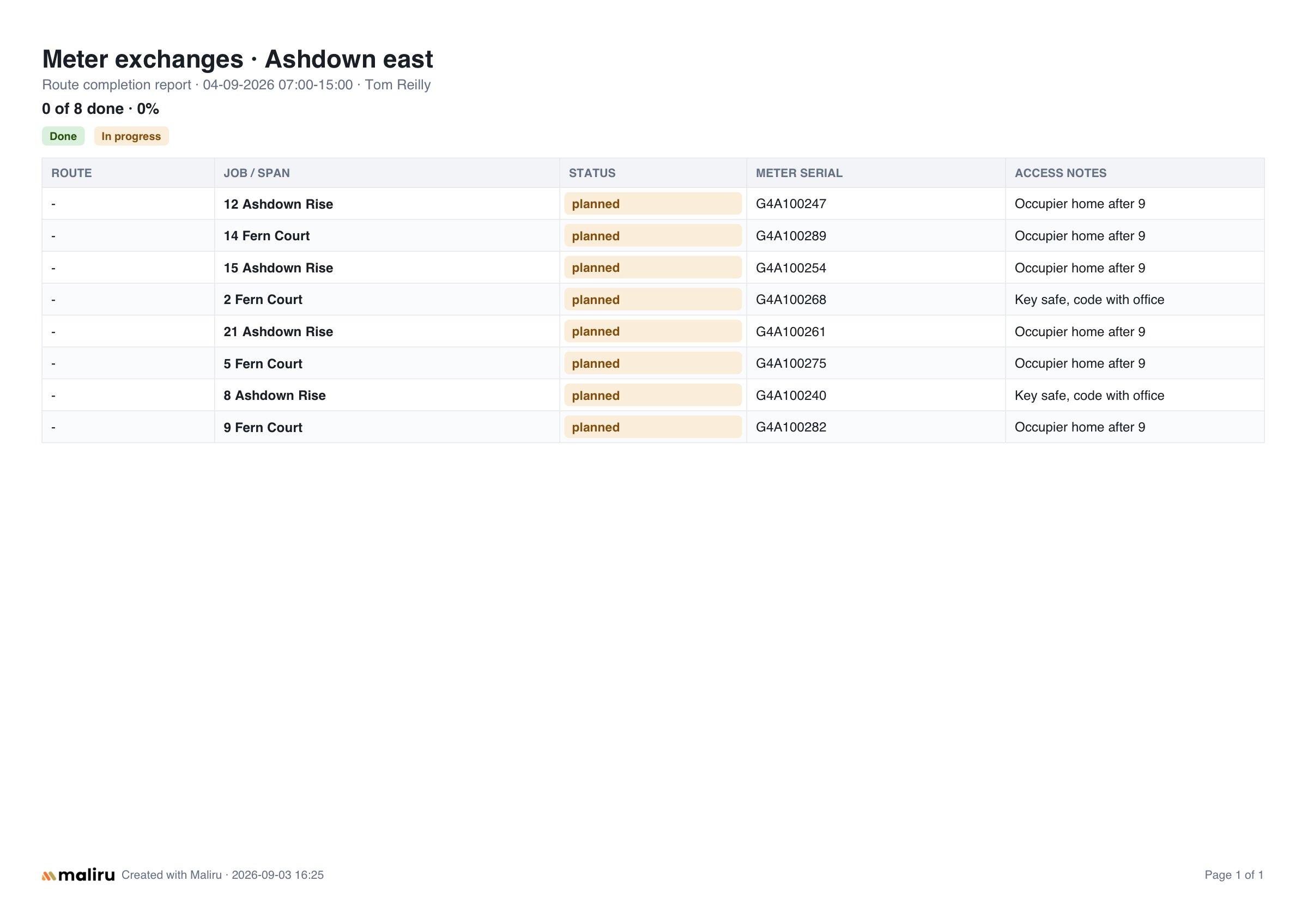
Client-ready completion reports
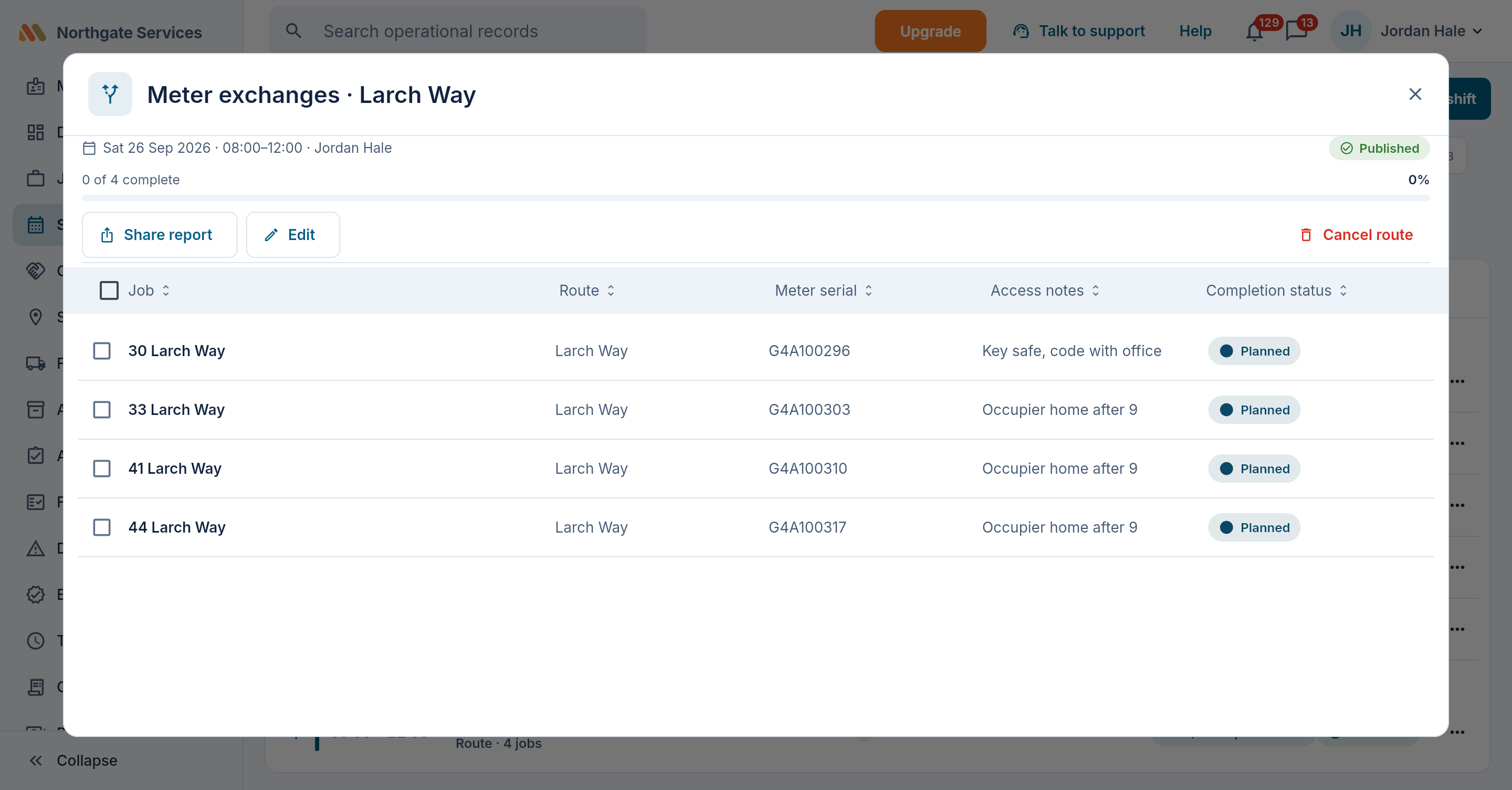
Build a PDF from the route's jobs using the workstream's selected columns and status colours. Export the current position for your client, with workspace branding on Team and above.
- Excel-style layout your client already understands
- Your chosen columns and colours, shared from the field or office
- Paid workspaces can choose whether Made with Maliru appears in the document footer
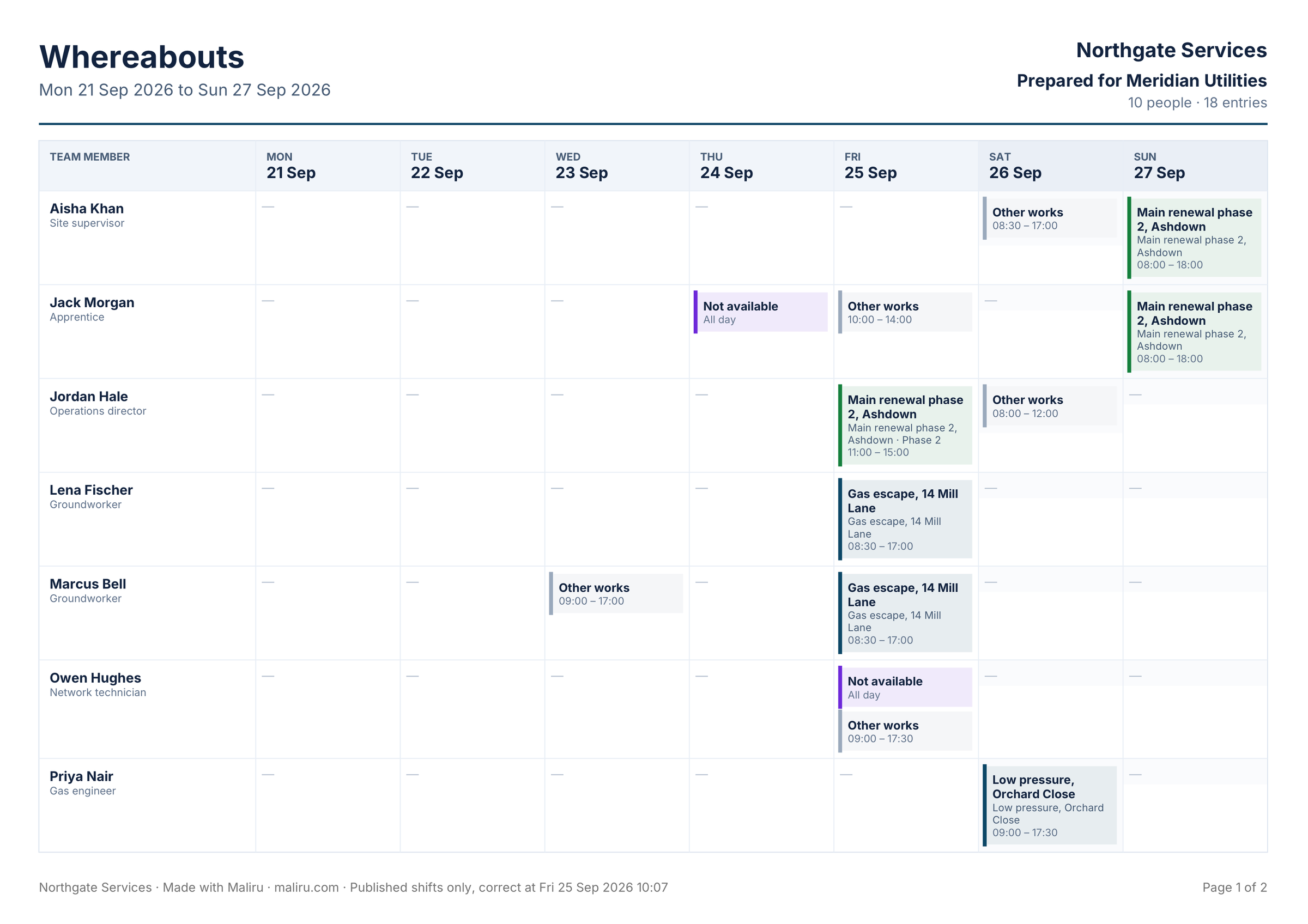
Tell a client where everyone will be
A whereabouts sheet puts your people down the side and the days across the top, drawn from the published schedule and leave. Name a client and everyone else's work shows only as "Other works", so one client never sees another's sites. Save the layout as a template, then email the sheet now or schedule the send.
- PDF or XLSX, with finished jobs dropping off the sheet
- On a client's sheet, leave reads as annual leave or not available — never the reason
- Export any schedule view, or just the shifts you tick, as XLSX, CSV or PDF