Maliru for utilities
Utilities work, without the four logins.
Gas, water, power and telecoms contractors run reactive repairs, metered routes and planned schemes side by side. Maliru gives each its own workstream, and the office one view over all of it.
No card required · Free forever for 5 users · Every module included
AI and your branding from Team; service contracts and contractor pay on Crew. Compare plans.
What usually goes wrong
- Reactive jobs, routes and schemes tracked in three tools that never agree
- Permits, tickets and authorisations expiring without anyone noticing
- Evidence photos on personal phones, forms on paper, timesheets on Friday
How Maliru fits
- Workstreams — Reactive repairs, meter exchanges and planned works as separate job types, each with its own fields and statuses.
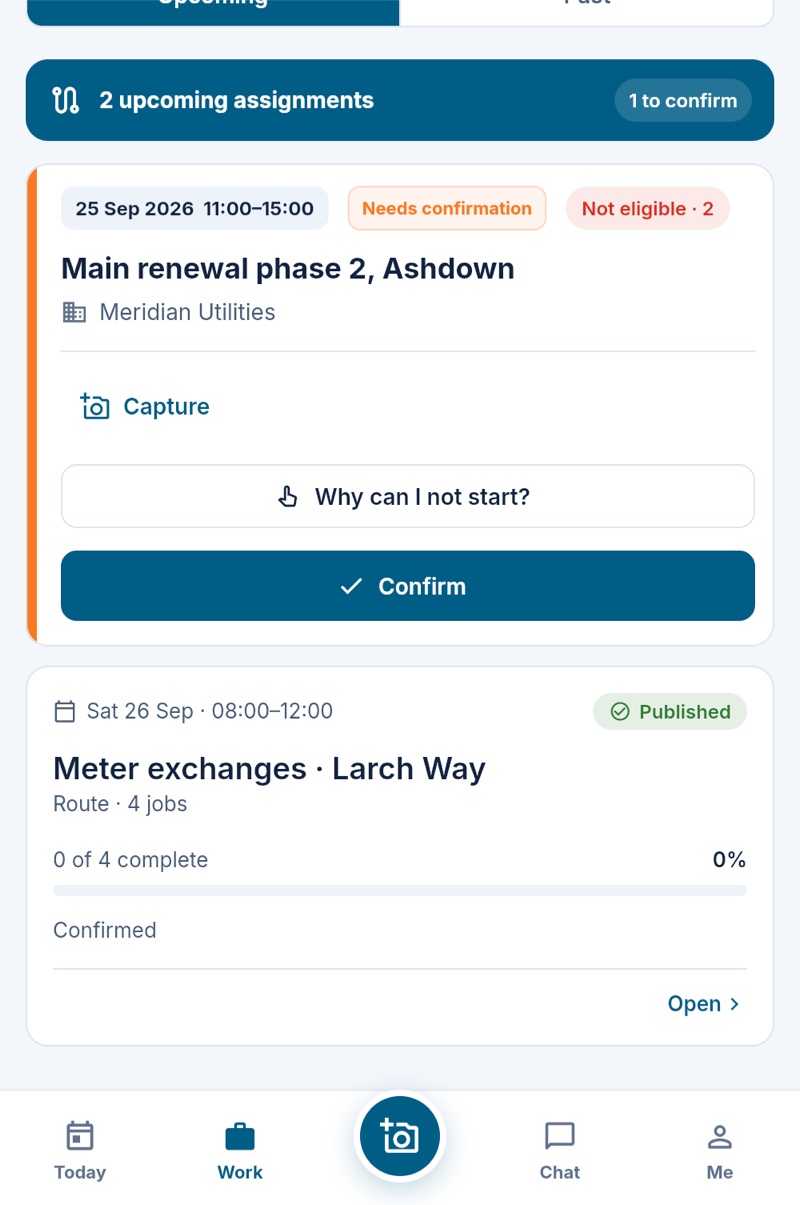
- Routes — A day of meter exchanges handed to one engineer as one card, confirmed with one tap.
- Permits & credentials — Your own authorisation types requested from the job, and tickets that warn before they lapse.
- Offline capture — Forms and photos captured in basements and chambers, saved on the device, with sending retried when the app reconnects.
- Lone worker — Timed check-ins for an engineer alone in a chamber or out of hours; a missed one alerts the people you name: by push on every plan, text from Team, phone call on Crew.
Your board, shaped for utilities
Two workstreams a utilities operation typically runs, with the columns and statuses it would name. Rename anything; import your own sheet and Maliru builds the board from it.
| Job | Client | Priority | Site contact | Status |
|---|---|---|---|---|
| Gas escape, 14 Mill Lane | Meridian Utilities | P1 | Mrs Patel | In progress |
| Low pressure, Orchard Close | Meridian Utilities | P2 | Site office | Planned |
| Leak at stop tap, 3 Weir Rd | Kestrel Housing | P2 | Tenant, flat 3 | In progress |
| Valve chamber flooding, Dock Rd | Meridian Utilities | P1 | Duty manager | On hold |
| Cover replacement, High St | Ashdown District Council | P3 | Highways desk | To do |
| Address | Client | Meter serial | Access notes | Status |
|---|---|---|---|---|
| 8 Ashdown Rise | Meridian Utilities | G4A100240 | Key safe, code with office | Planned |
| 12 Ashdown Rise | Meridian Utilities | G4A100247 | Occupier home after 9 | Planned |
| 15 Ashdown Rise | Meridian Utilities | G4A100254 | Occupier home after 9 | Planned |
| 2 Fern Court | Meridian Utilities | G4A100268 | Key safe, code with office | Planned |
| 5 Fern Court | Meridian Utilities | G4A100275 | Occupier home after 9 | Planned |
Questions utilities teams ask
Can engineers work with no signal?
Yes. The week's jobs and today's and tomorrow's files are saved on the phone while it has signal, so they open in a chamber or a basement. Forms, photos, clocking and job updates made without signal wait on the phone and send once when it reconnects; the app shows anything still waiting.
Do you handle street works permits?
You define your own authorisation types with their fields and expiry rules, request them from the job, record the outcome and track expiry. There is no direct Street Manager connection today.
How do routes work?
Select the route jobs, assign one worker or a crew with a shared window, and publish. Each assignee confirms their own attendance; progress and completion reports follow the route jobs.
Also built for
Put your utilities operation on Maliru.
Free for your first five people. Import your job sheet and go.