Proof, not paperwork.
Build forms and scored inspections, capture evidence on site, and send forms and documents to people outside your workspace. Give reviewers the record they need to make a decision.
Any form, in minutes
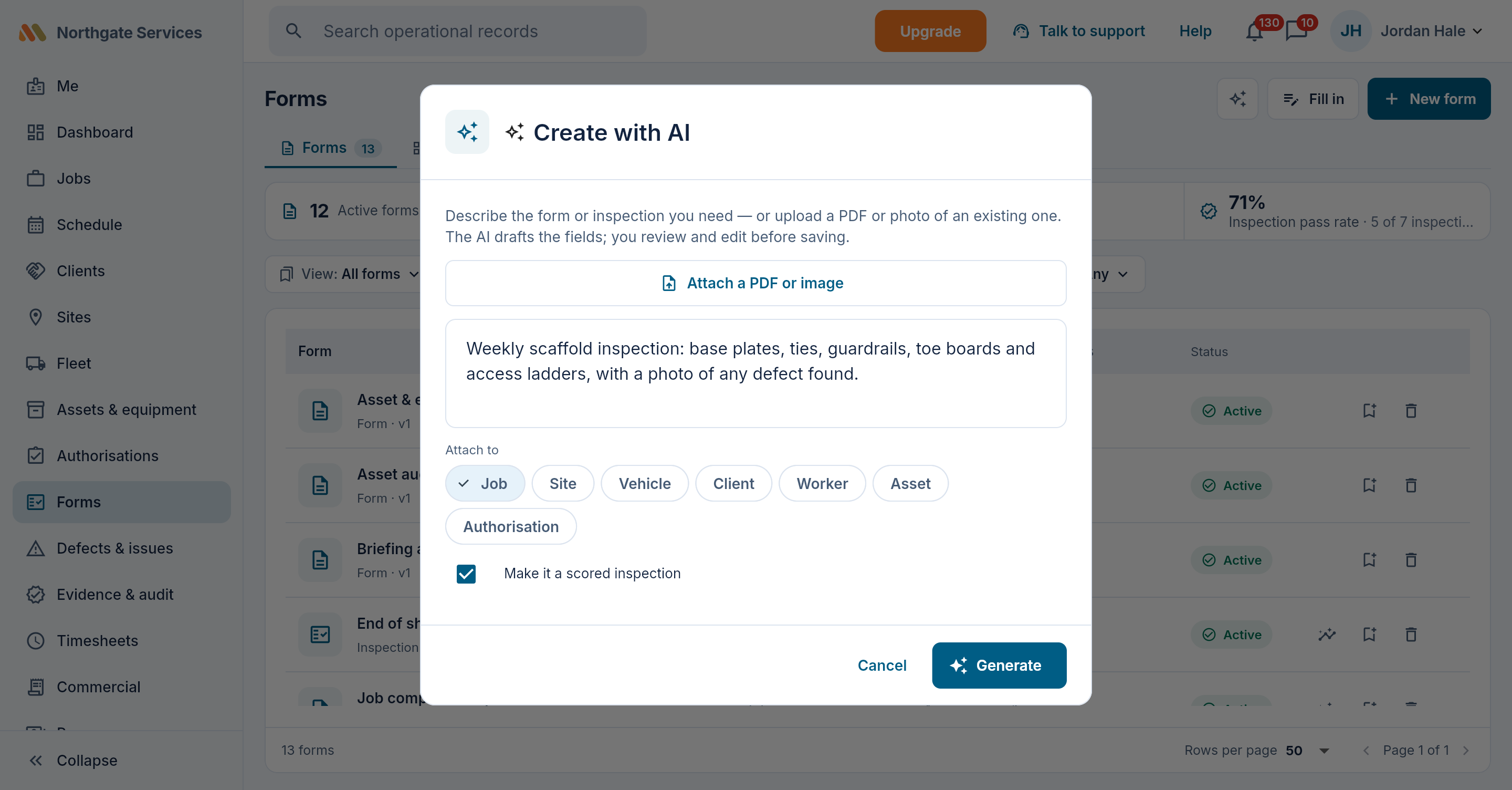
Photos, video, signatures, people pickers, audio answers, location capture, repeating rows and formulas. Start with a blank form or template, or upload an existing PDF and Create with AI drafts the fields and conditions for you to review — three drafts on Free, unlimited on Team and above.
- Drag-to-order builder with a live phone preview
- Conditional fields that appear only when relevant
- Prefill fields from the job, including its custom fields
- Repeat names and signatures for briefings and attendance
- Change a field's type in place; submitted records keep their original form version
- Recurring schedules — a daily walkaround that rolls itself forward
- Attach a form to a job, vehicle, asset, site, client, person or authorisation — or to several kinds at once
Send the paperwork beyond your workspace
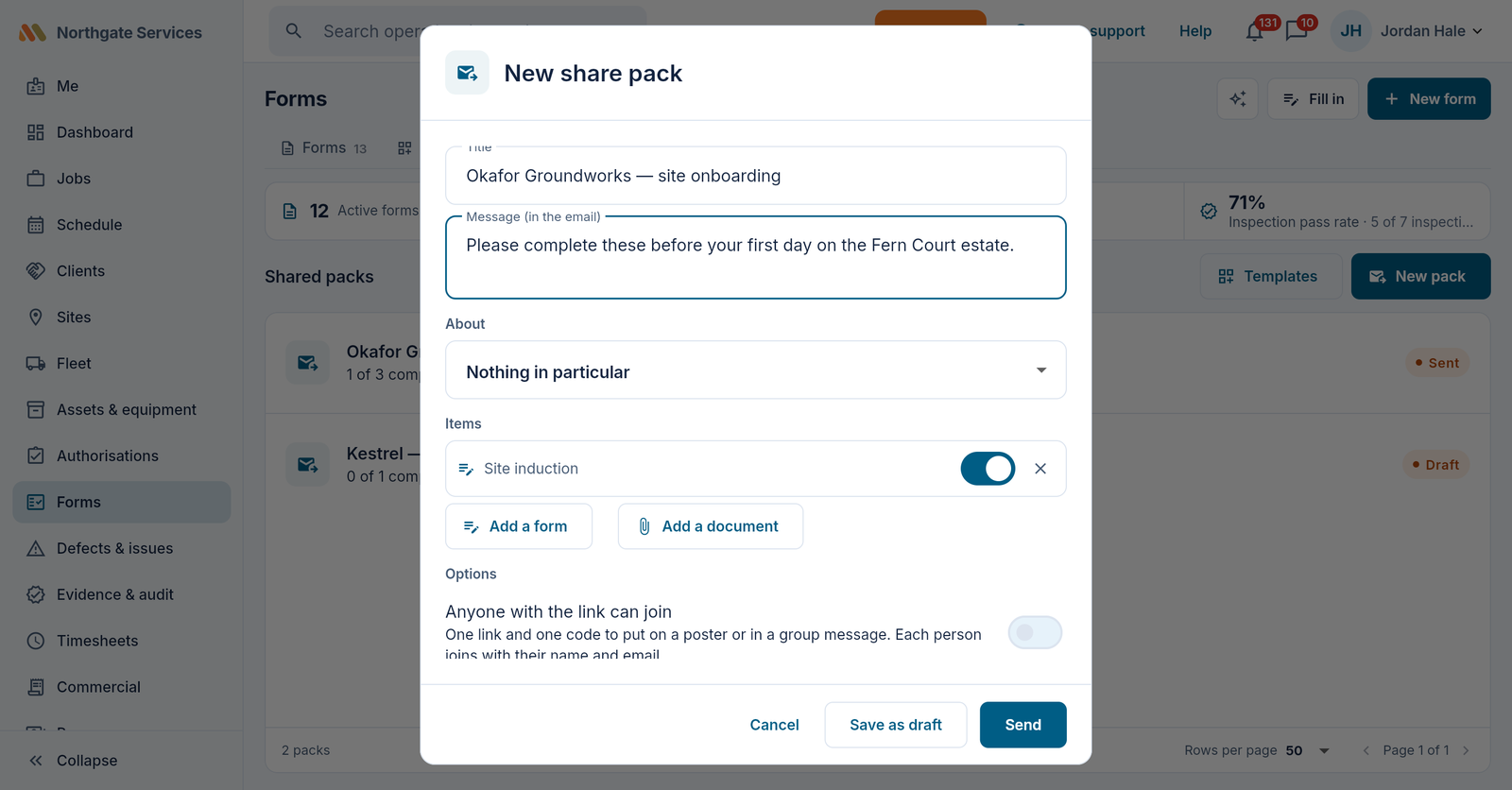
Put forms and documents in a share pack for a customer, subcontractor or visitor. They open a link and access code, complete the forms, and read or sign the documents without a workspace account.
- Personal invitations or an open link, with expiry and access controls
- Reusable templates, bulk recipients and automatic reminders
- Returned forms and signed documents on the linked record
- Read-and-sign documents come back with a certificate page: who signed, when, and which exact file
- A PDF bundle for each person; two active packs on Free, unlimited on paid plans
The right people see the right answers
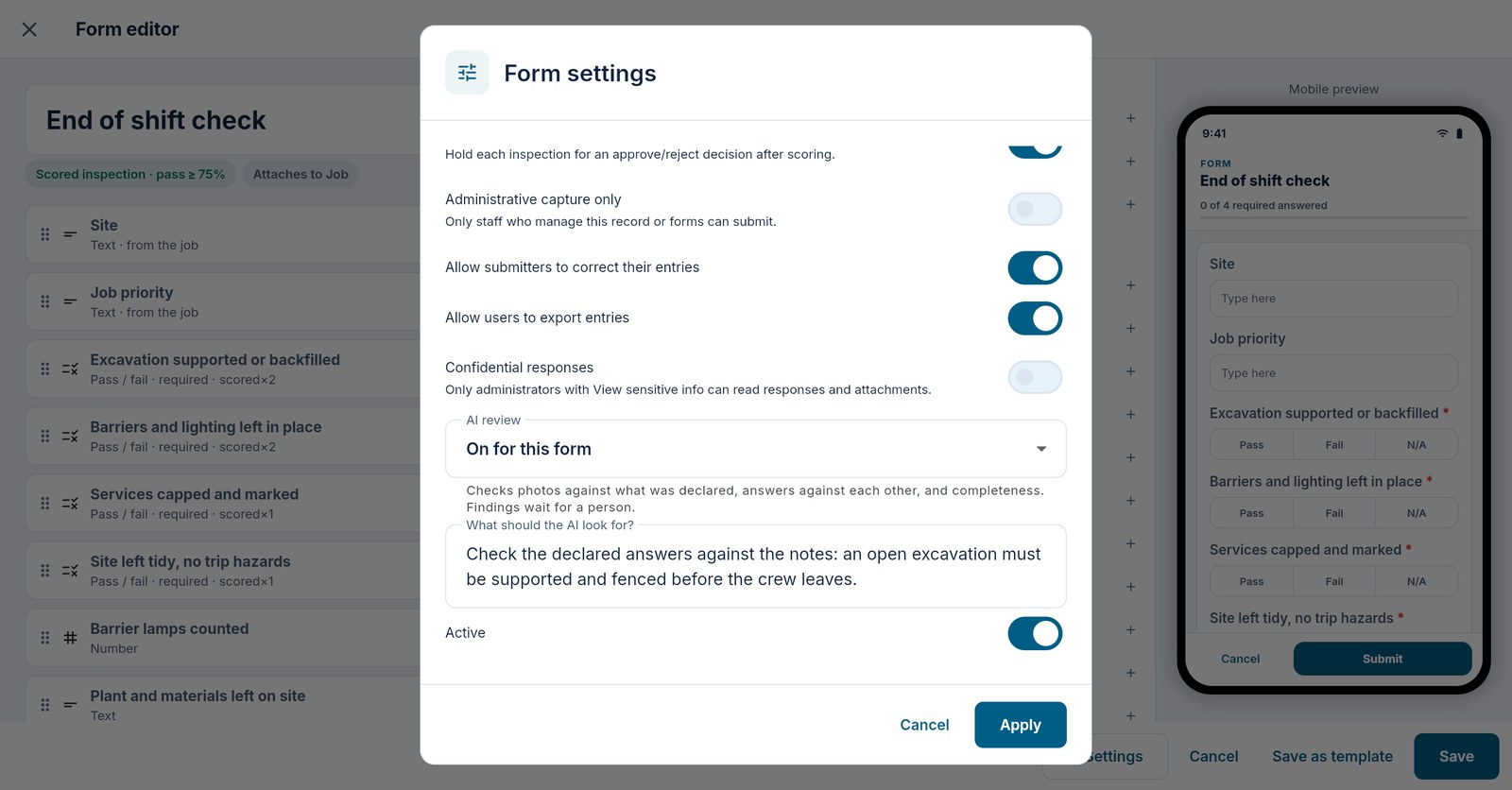
Restrict who can submit, read, correct or export a form. Confidential responses and their attachments require sensitive-data permission; reviewer-only fields keep the office's notes separate from the answers collected in the field.
- Administrative capture for forms that only managers should complete
- Original form versions retained with submissions
- Confidential and expense forms excluded from automatic AI review
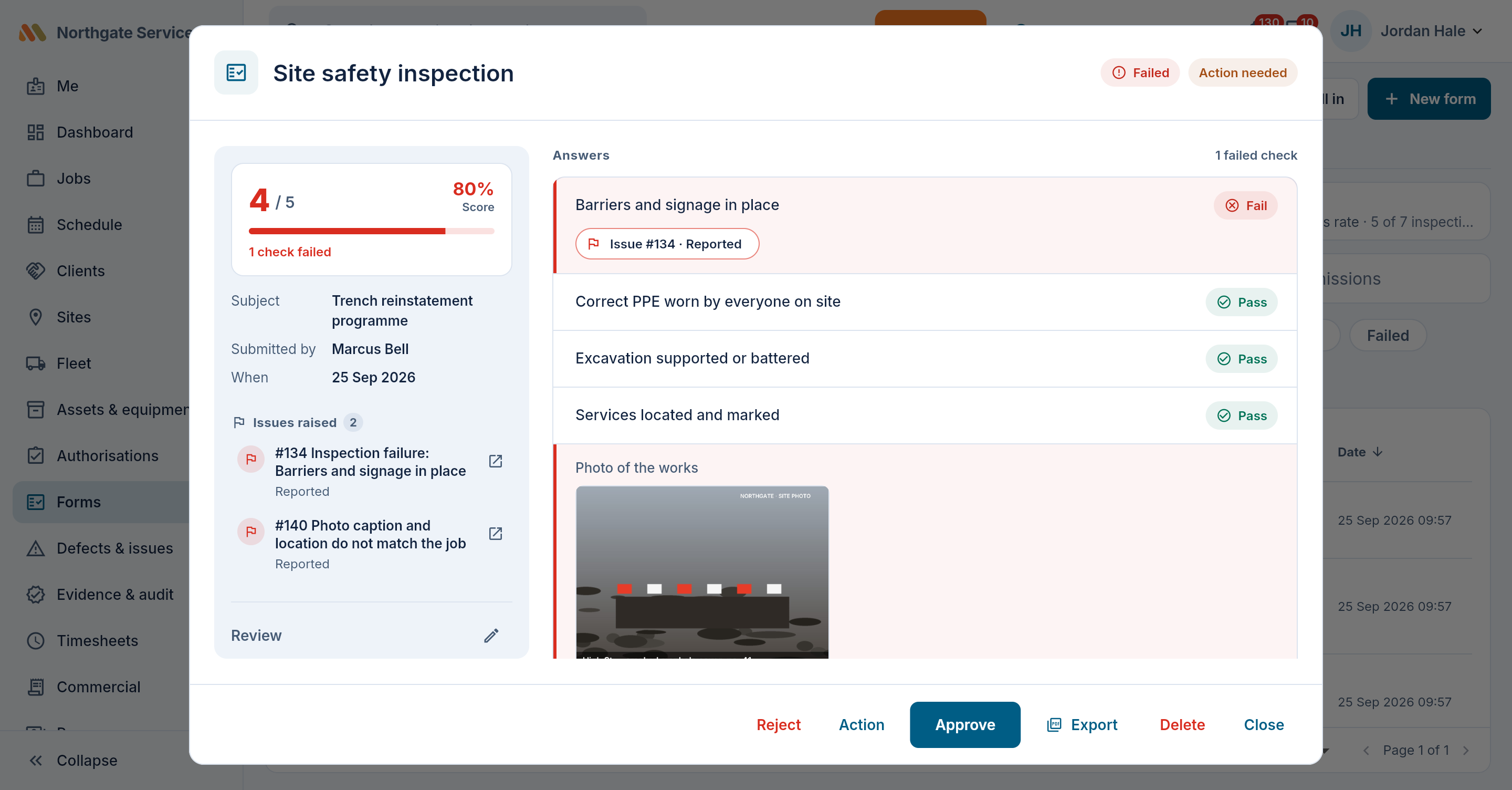
Scored inspections with teeth
Choose whether a form records answers or produces a score. For a scored inspection, weight the items, set a threshold and choose whether failed items raise defects against the record.
- Hidden checks and explicitly configured N/A answers excluded from the score
- Optional defects from failed items, with evidence and a review trail
- An unsafe vehicle or unready asset follows its safety gate even when the numeric score passes
- Optional review sign-off before results stand
AI review, human decisions
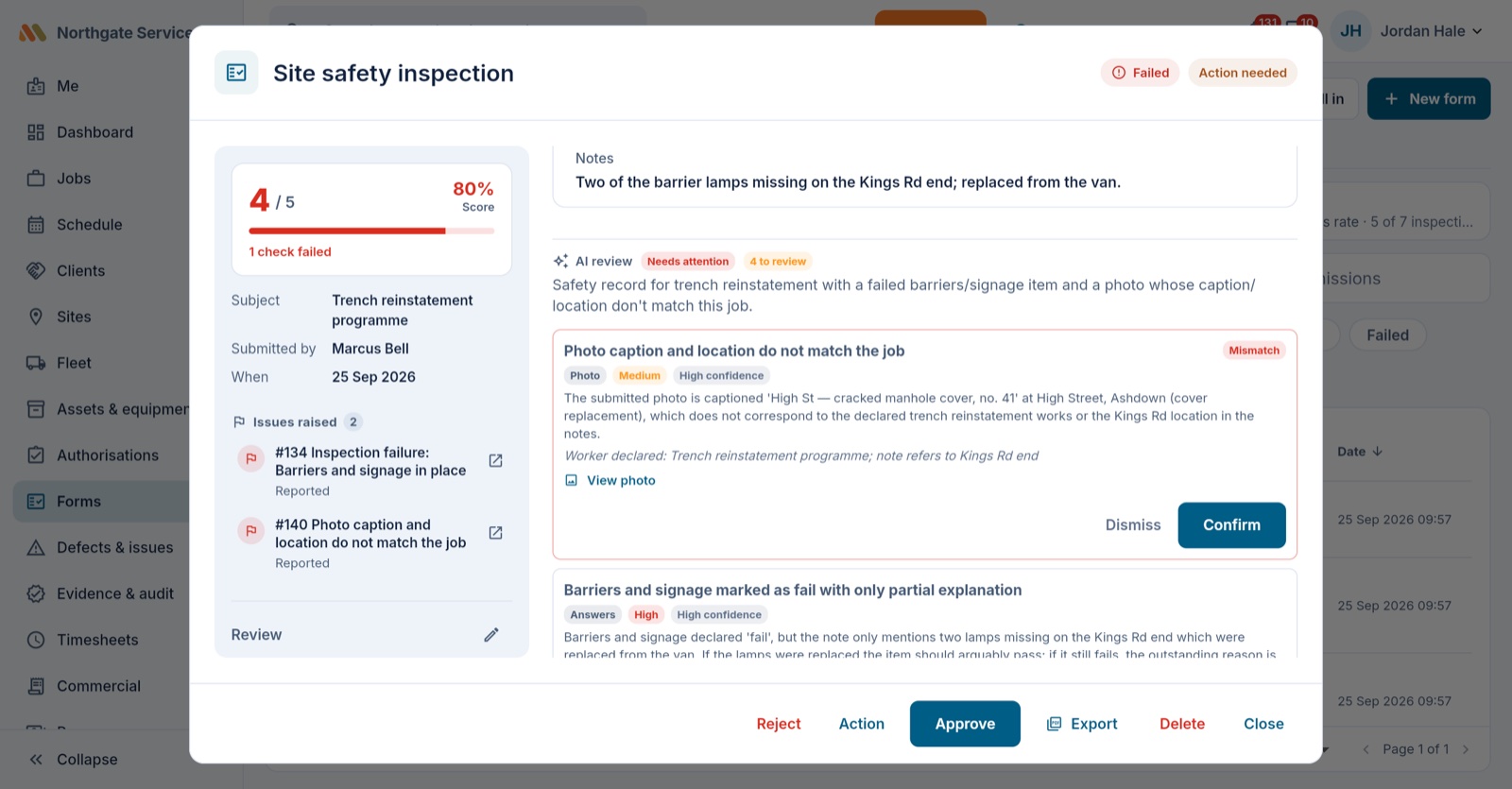
On Team and above, eligible submissions can get a first pass from a reviewer that knows what the form is about — a vehicle inspector for a walkaround, a site-safety eye for a site record, a works supervisor for a job sheet. It checks photos against what was declared, the answers against each other, and whether the record is complete enough to act on. Findings arrive with severity and confidence and wait for a person to confirm or dismiss. The AI flags; your team decides.
- Mismatch detection: "no damage" declared, damage visible — or two answers that can't both be true
- Works on forms with no photos at all, and you can tell it what to look for
- Routed to whoever owns the record, with the urgent ones marked for attention
- Integrity signals: reused photos, impossible speed, scattered locations
- Enabled by default for scored inspections with photos on eligible plans; workspace and per-form controls
- Confidential responses and expense forms stay outside automatic review
- A monthly AI allowance — 500 actions on Team, 2,000 on Crew — with top-ups; past it, reviews keep running on a lighter pass rather than stopping
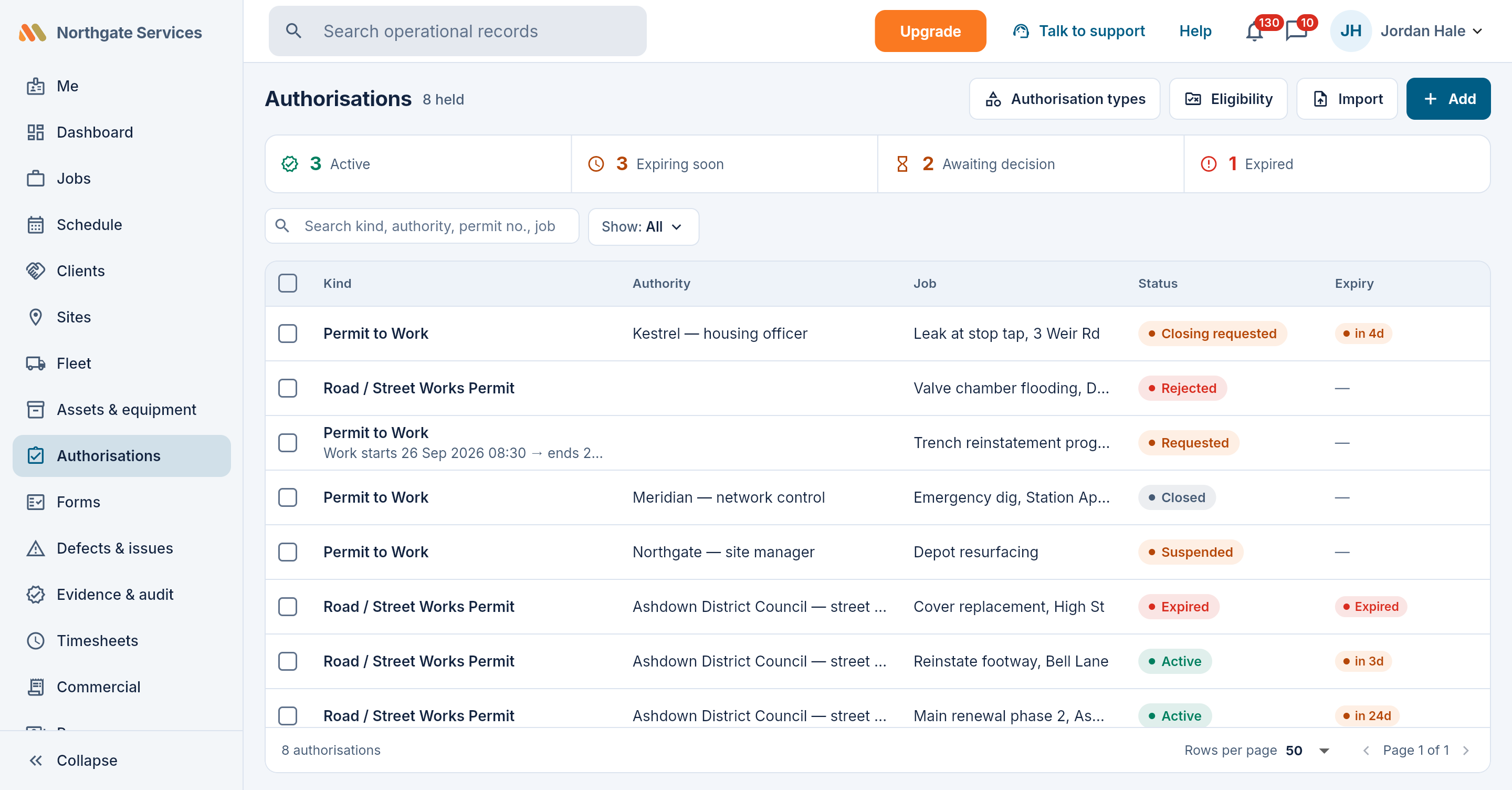
See permits and credentials before they expire
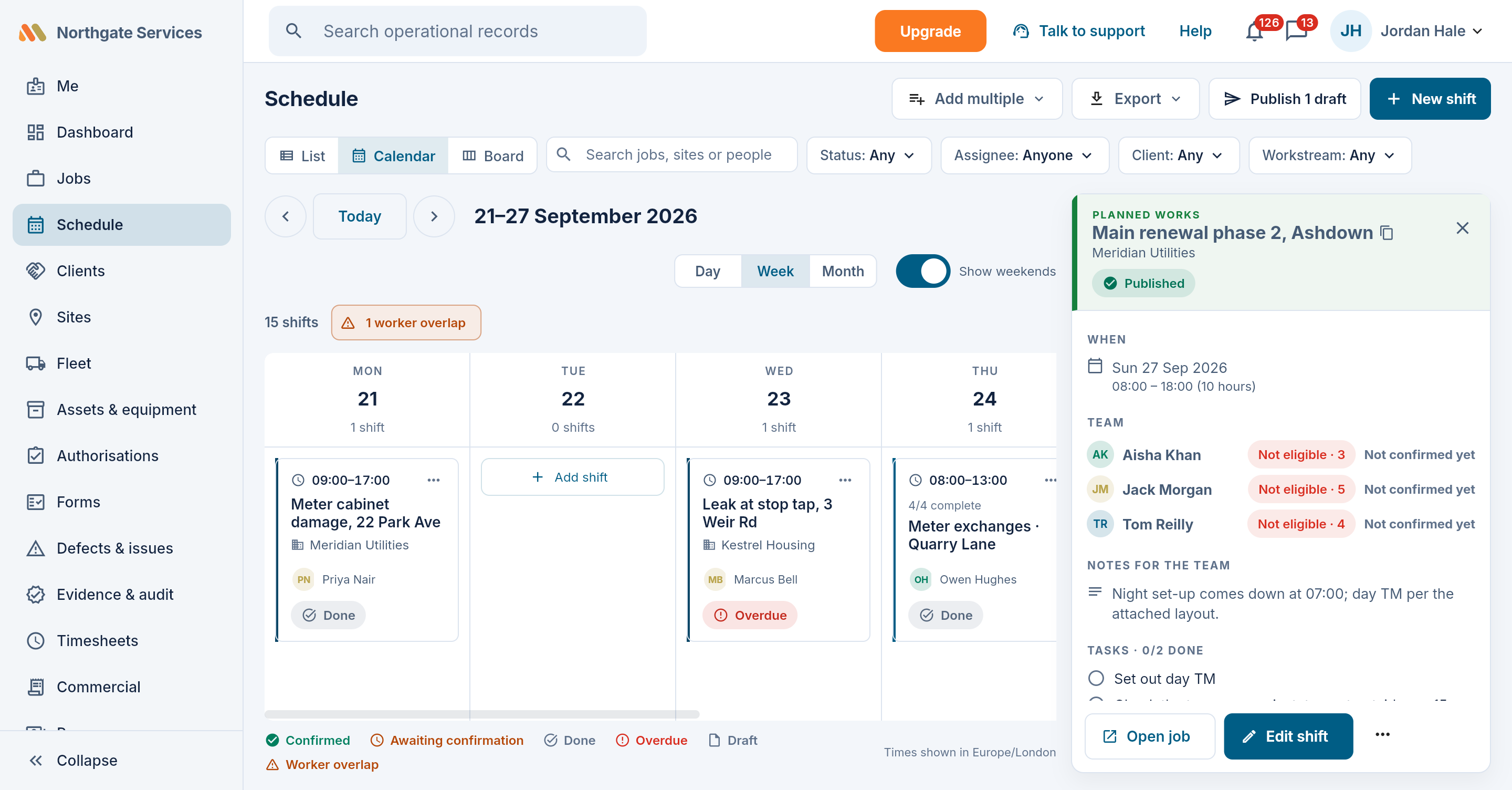
Define your own authorisation types, let the field request them from a job, and track validity and expiry in one register. Workers' tickets warn before they lapse — and can flag or block an unsafe assignment, your choice.
- Custom permit types with your fields and conditions
- Expiry reminders to the worker and the office
- Credentials and permits checked before work is handed out — see eligibility below
Eligibility, checked before anyone is sent
Set a requirement once on a position, workstream, site or client, and every job under it inherits the rule. Maliru checks the person against the whole window of the work, not just its start, so a ticket that lapses on day three is caught on day one. When the answer is no, it says why and where the requirement came from.
- Checked at assignment, dispatch or clock-in — you choose when each rule starts to bite
- Off, warn, block or absolute; nothing can override an absolute rule
- Overrides requested and granted on the record, where the rule allows them
- Anything that cannot be confirmed counts as unmet, so a gap never shows green